
Download Love Video Maker – video maker, photo slideshow, music slideshow, love video maker, photo editor, video editor, Android app, free video editing tool, create video from photos, share video on social media
Overview
Love Video Maker is a free Android application designed for users seeking an accessible way to transform personal photos into engaging slideshow videos. Developed by Photo And Video Apps, the app focuses on simplifying video creation for casual users and social media enthusiasts. Its primary purpose is to enable users to compile images and music into visually appealing videos, ideal for sharing on platforms such as Facebook, Instagram, WhatsApp, and Twitter. The software supports a range of use cases, including creating heartfelt messages for loved ones, celebrating holidays like Valentine’s Day, Christmas, New Year, Halloween, and Thanksgiving, or simply preserving memories through dynamic photo collages.
Target users include individuals who want to express emotions through visual storytelling without requiring advanced editing skills. The app is particularly suited for those who frequently share content on social media and wish to enhance their posts with personalized videos. While the developer is identified, no further details about the company’s background or history are available. The app operates entirely on Android devices, offering a desktop-independent experience. Users can create videos for personal, romantic, or festive occasions, with the flexibility to add music, text, filters, and effects to enhance the final output.
Key Features & Capabilities
- Photo Slideshow Creation – Users can compile multiple images into a continuous slideshow with customizable transitions and timing.
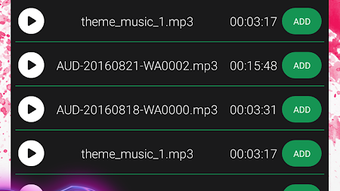
- Music Integration – The app allows adding background music from the device’s library, enabling users to synchronize videos with favorite songs.
- Themed Templates – Pre-designed themes for holidays and special events such as Valentine’s Day, Christmas, New Year, Halloween, and Thanksgiving are available.
- Editing Tools – Includes options to add text overlays, apply photo filters, insert stickers, change background colors, add borders, and apply special visual effects.
- Social Media Optimization – Videos can be formatted for platforms like Instagram Stories, Facebook, WhatsApp, and Twitter, ensuring compatibility with common aspect ratios and file formats.
- Share-Ready Output – The final video is exportable directly to social networks or messaging apps, streamlining the sharing process.
These features allow users to craft personalized content for romantic gestures, family events, or holiday greetings. For instance, a user might create a Valentine’s Day slideshow using photos of a couple, set to a sentimental song, with animated text and a red-themed filter. Another example includes assembling a New Year’s Eve collage with festive stickers and a countdown effect, suitable for sharing on Instagram Stories. The app’s toolset supports both creative expression and practical sharing needs.
User Interface, Workflow & Performance
The user interface of Love Video Maker appears to follow a standard mobile app layout, prioritizing intuitive navigation for users with minimal video editing experience. The workflow likely begins with selecting photos, followed by choosing a theme, adding music, and applying edits before exporting the final video. While specific UI details such as menu structure or layout are not provided, the app’s design is expected to emphasize visual clarity and ease of access to core tools.
Based on general mobile application behavior, the app likely processes videos in real-time during editing, with performance dependent on device capabilities. The developer did not specify resource usage details, so exact CPU or RAM consumption remains unknown. Stability during video rendering and export is assumed to be consistent with typical Android applications of similar scope. Users may experience minor delays when working with high-resolution images or longer audio tracks, but no performance issues were reported in the provided information. The app’s responsiveness and workflow efficiency are likely optimized for quick creation cycles, enabling users to produce shareable videos in under 10 minutes.
Compatibility & System Requirements
Love Video Maker is designed exclusively for Android devices. The current version is 2.1.1, with a file size of 32.8 MB, indicating a lightweight installation that should fit on most modern smartphones and tablets. The developer did not specify minimum or recommended hardware requirements, such as RAM, processor speed, or storage space. As a result, exact compatibility details are limited.
Platform compatibility information is partially provided, confirming support for Android OS, though the specific version range (e.g., Android 6.0 or higher) is not stated. Users should verify compatibility with their device’s operating system version before installation. The app does not require a desktop environment, functioning entirely as a standalone mobile application. Given its size and purpose, it is likely optimized for devices with standard Android configurations, though performance may vary across older or lower-end models.
Pros and Cons
Pros
- Free to download and use with no hidden costs
- Simple, intuitive interface suitable for beginners
- Supports a variety of holiday and event-specific themes
- Offers multiple editing tools including text, filters, stickers, and effects
- Enables direct sharing to major social media platforms
- Lightweight installation at just 32.8 MB
Cons
- Exact system requirements were not listed
- Performance details on different devices were not provided
- No information on cloud backup or project saving features
- Limited customization options may be available for advanced users
- Dependent on device storage for media and output files
FAQ Section
Is Love Video Maker available for iOS devices?
Currently, the app is only available for Android. No iOS version has been announced.
Can I use my own music in the videos?
Yes, users can add background music from their device’s audio library.
Is the app safe to download and install?
As a free Android app from a known developer, it is considered safe when downloaded from official sources. Users should avoid third-party app stores to minimize risks.
Does the app require an internet connection?
Basic editing and video creation can be done offline. However, some features like social media sharing may require an active connection.
How often is the app updated?
The latest version, 2.1.1, was released on March 25, 2024. The update frequency is not specified, but developers typically release updates to fix bugs and improve compatibility.
Final Thoughts + CTA
Love Video Maker delivers a straightforward, accessible solution for users who want to create emotional and visually appealing photo slideshow videos without technical complexity. Its free pricing model, themed templates, and social media integration make it ideal for personal and romantic content creation. While detailed system requirements and performance data are not available, the app’s lightweight footprint and mobile-first design suggest broad compatibility across Android devices. Casual users, social media influencers, and those seeking to share heartfelt moments with loved ones will benefit most from its intuitive workflow and rich editing tools.
For anyone looking to turn cherished memories into shareable videos with music and effects, Love Video Maker offers a practical and efficient option. With its focus on ease of use and instant sharing, it stands out as a reliable free video editing tool on Android.
Download Love Video Maker now





.png)

